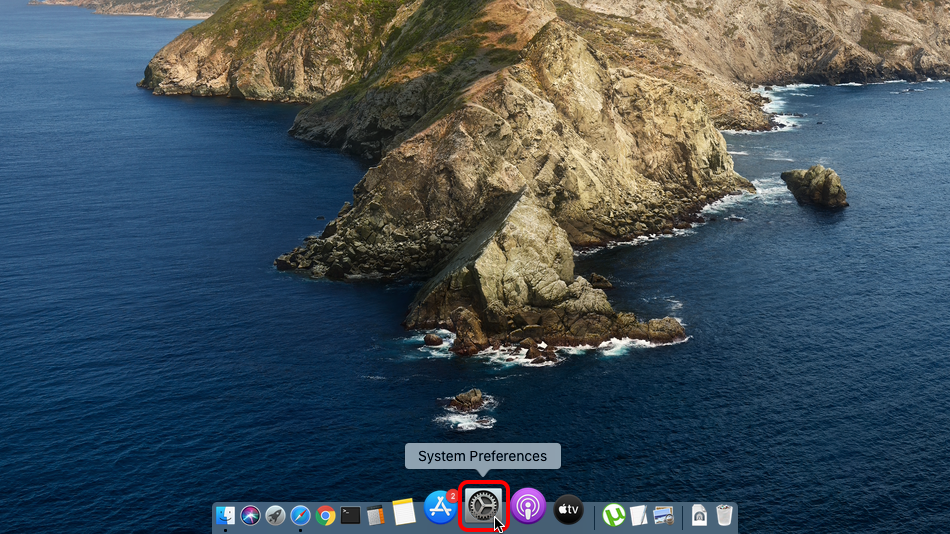
点击“系统偏好设置…”。
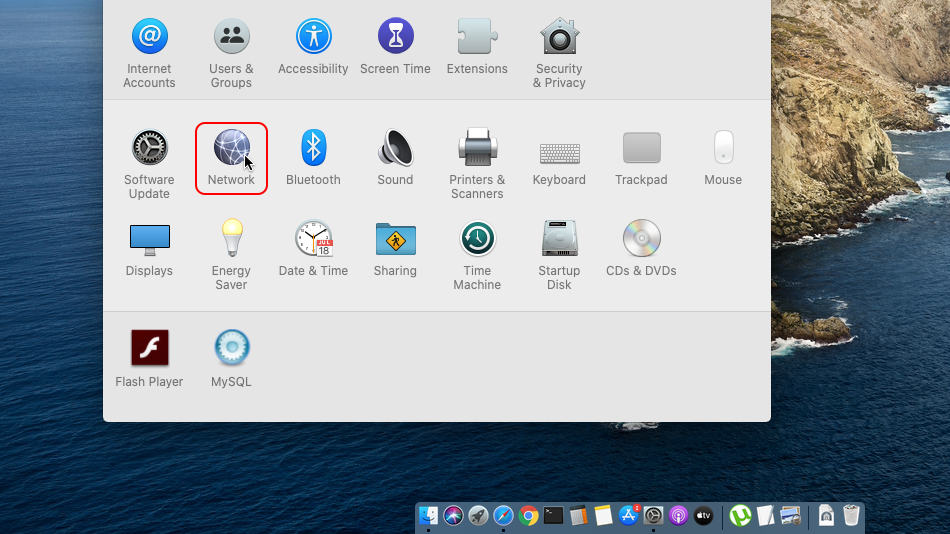
点击“网络”。
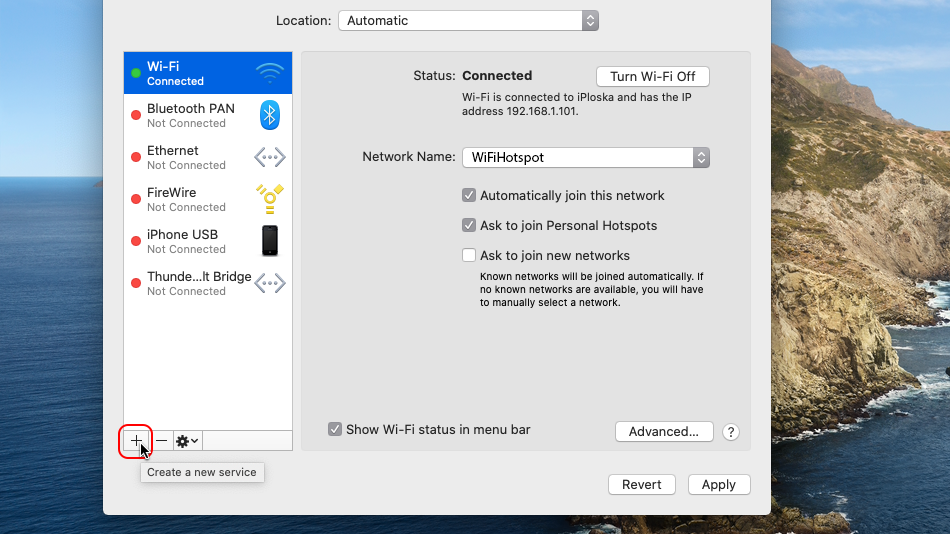
点击“+”。
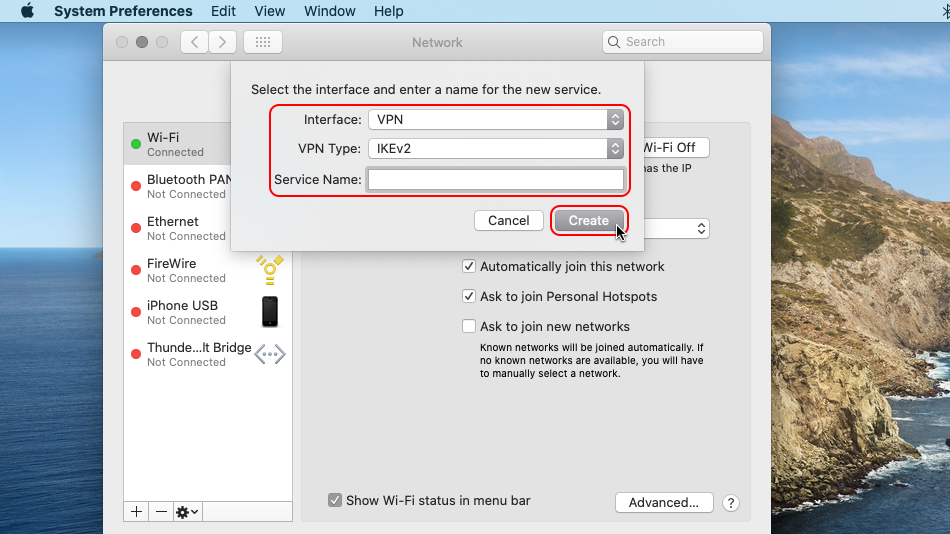
点击“接口”下拉菜单,选择 “VPN”
点击 “VPN 类型”下拉菜单,选择 “IKEv2”
把服务名称设为 “Trust.Zone-Australia-New-South-Wales”,然后点击“创建”。
 Trust.Zone-Australia-New-South-Wales
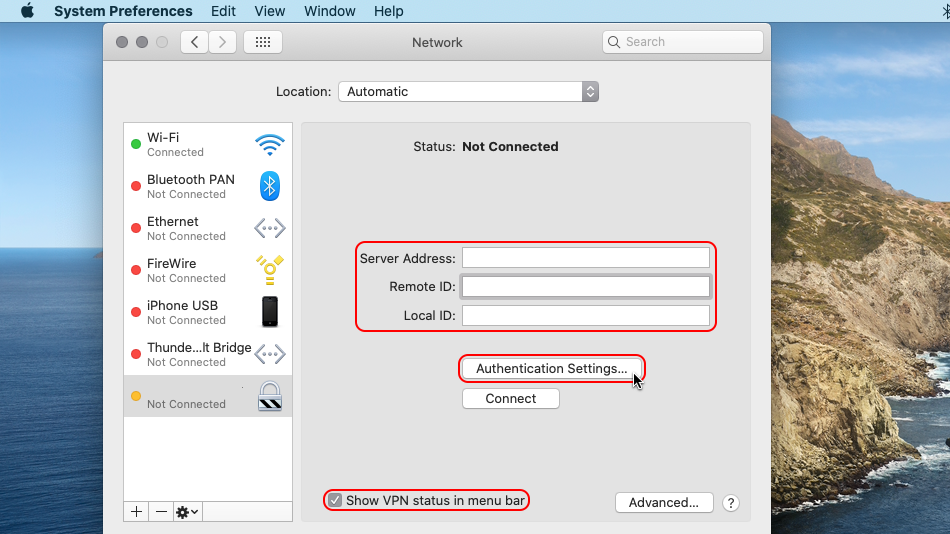
“服务器地址”填写为: au-nsw.trust.zone.
Under "Remote ID" enter trust.zone.
勾选在菜单栏中显示 VPN 状态。
然后点击“鉴定设置…”。
 Trust.Zo...th-Wales
au-nsw.trust.zone
trust.zone
Trust.Zo...th-Wales
au-nsw.trust.zone
trust.zone
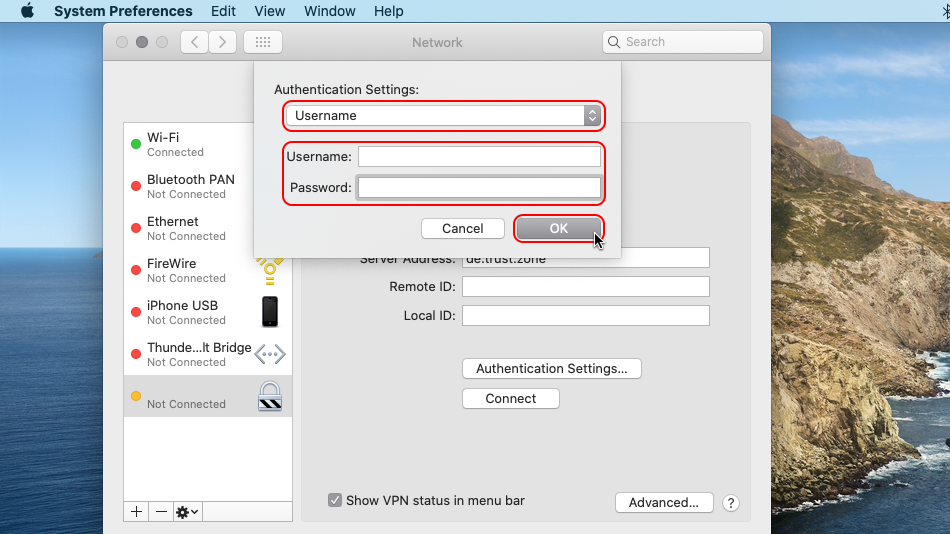
在“用户名”中填写 已隐藏. 登录或注册后可见。.
在“密码”中填写 已隐藏. 登录或注册后可见。.
然后点击“好”。
 Trust.Zo...th-Wales
trust.zone
Trust.Zo...th-Wales
trust.zone
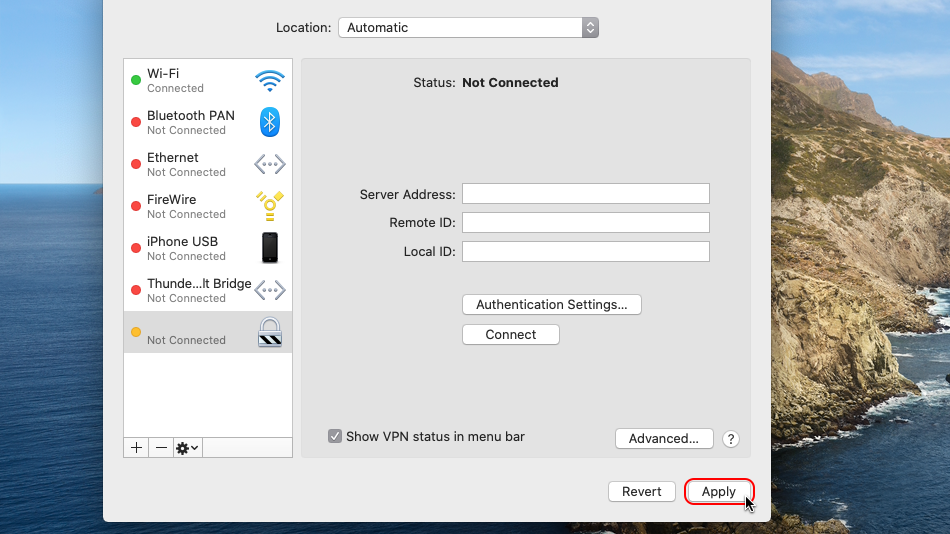
点击“应用”。
 Trust.Zo...th-Wales
au-nsw.trust.zone
trust.zone
Trust.Zo...th-Wales
au-nsw.trust.zone
trust.zone
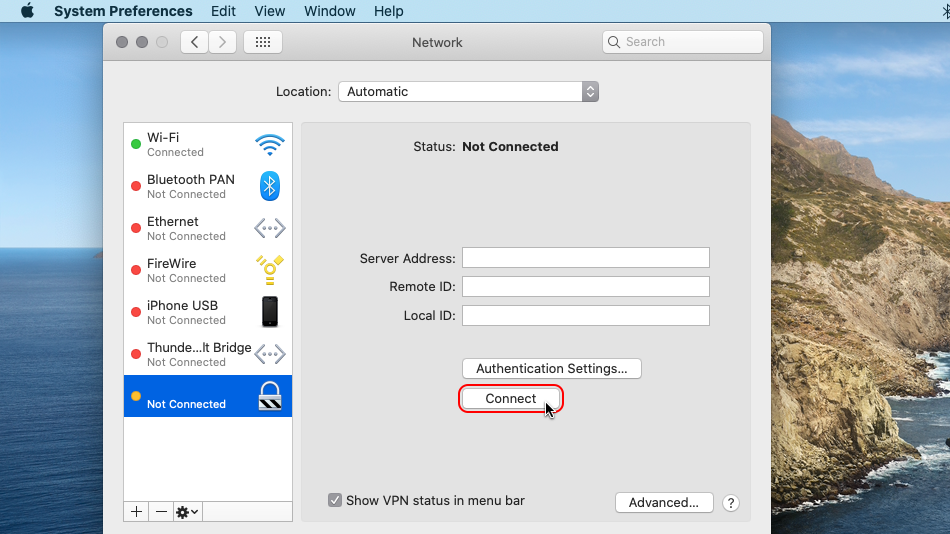
点击“连接”。
 Trust.Zo...th-Wales
au-nsw.trust.zone
trust.zone
Trust.Zo...th-Wales
au-nsw.trust.zone
trust.zone
连接成功后,状态会显示在菜单栏中。您可以在网络设置中管理 VPN 连接。
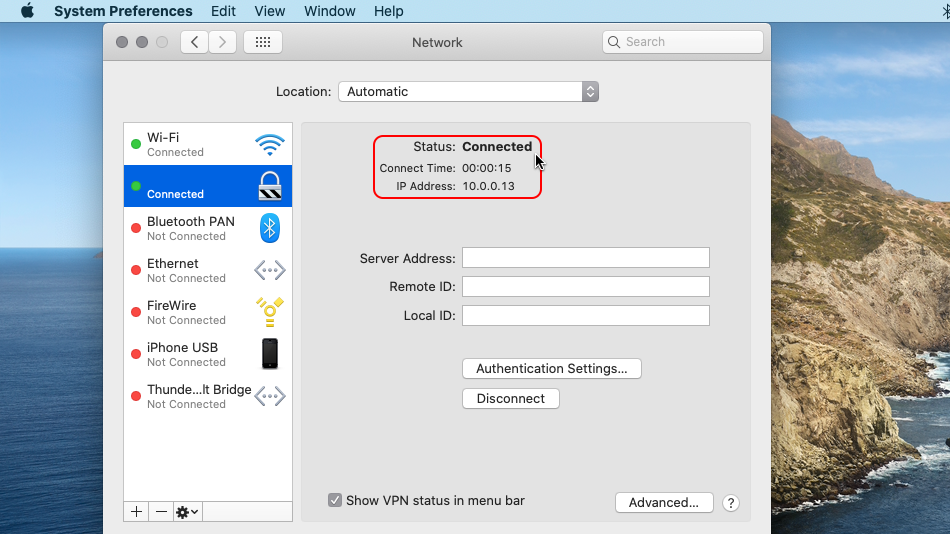 Trust.Zo...th-Wales
au-nsw.trust.zone
trust.zone
Trust.Zo...th-Wales
au-nsw.trust.zone
trust.zone
打开 Trust.Zone 首页(如果已经打开,请刷新),确认与 Trust.Zone VPN 的连接是否正常建立。
您也可以访问我们的连接检测页面。
 您的 IP: x.x.x.x ·
  澳大利亚 ·
您现在显示在 TRUST.ZONE!真实位置已隐藏!
澳大利亚 ·
您现在显示在 TRUST.ZONE!真实位置已隐藏!


